














Built for Enterprise & Multi-SITE Businesses
Simplified Audio Management with RingEX manager
Take the work out of managing audio for thousands of locations—save time, reduce errors, and stay up to date with your messaging.


The ultimate add-on for RingEX

Integrates directly with your RingEX phone system, creating a centralized hub for managing all your audio updates.

Multi-location updates
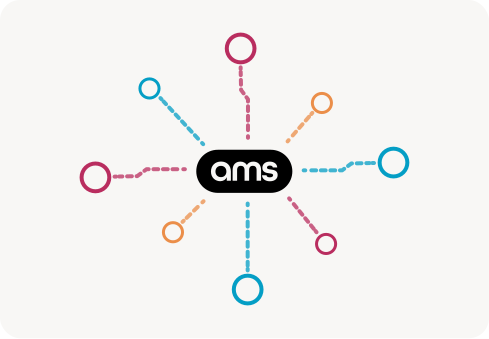
Still uploading messages one at a time? With RingEx Manager you can install audio to all your locations with just a few clicks - Whether you’re managing a few offices, nationwide branches, or locations worldwide.

Schedule a demo


Image
Image

Schedule your updates

Schedule message updates in advance, and ensure they go live exactly as planned. Whether it’s holiday hours, promotions, or any important updates, RingEX Manager automates everything seamlessly

Schedule a demo

Custom Management Groups

Give teams direct control over the locations they manage. With RingEX Manager, teams can update the messaging they’re responsible for without needing support from IT.

Schedule a demo
Image

Let’s talk

We’re never too busy to talk to someone as nice as you.

Get in touch with us and start the conversation. We’d love to hear from you.

faq

Flecha

What is RingEX Manager for RingCentral?

RingEX Manager is the fastest and easiest way to manage your RingCentral phone system. It connects directly to your RingCentral account, giving you a dedicated dashboard to organize and change messages on the fly, schedule phone system updates, and apply changes in bulk when managing multiple locations — all without navigating RingCentral’s admin portal.

Flecha

Can I automate the installation of a message to multiple locations in my phone system?

Yes, you can create custom extension groups, and install a message to an entire group in a few clicks.


Flecha

Can I schedule RingCentral message updates in advance?

Yes — you can schedule message updates just like events on a calendar. An entire year of updates can be planned ahead of time: holiday hours, seasonal promotions, policy changes. Updates go live automatically on the date you set. You can also schedule bulk installs across extension groups, saving time and IT costs. This is especially valuable for multi-location businesses that need coordinated messaging changes across their entire RingCentral system.

Flecha

Can I read a text version of the audio messages installed in my phone system?

Every extension in your phone system containing a message can be viewed in text form.


Flecha

Can I search for specific messages in my phone system?

Locating messages in RingEX Manager is fast and simple. You can search for specific messages, and also filter by extension types, message types, department sites and many more!


Flecha

Will I be able to listen to the messages playing in my phone system and see the audio file names associated with each message?

Yes. You can always listen to what's playing in your phone system extensions. And If you installed your messages via RingEX Manager, you will also see the file name associated with each message.


Flecha

If a message is installed in multiple places in my phone system, can I easily locate where this message is installed?

Yes. If you installed your message via RingEX Manager, you can search for the filename of the message and RingEX Manager will display all the places in your phone system where this file is installed.


Flecha

How do I change my voicemail greeting on RingCentral?

With RingEX Manager, you can update voicemail greetings on any RingCentral extension without navigating RingCentral’s admin portal. Search for the extension, click upload, and choose from AI-generated greetings (Phonzai), professional recordings (RealVoice), or upload your own file. Need to update greetings across multiple extensions? Group them together and push the change to all of them at once.

Flecha

Can I push audio updates to all RingCentral extensions at once?

Yes — that’s the core value of RingEX Manager. Create extension groups by location, department, or any criteria you choose. Then select the group, upload your new audio, and install it to every extension in a single action. Whether you’re updating 10 extensions or 10,000, the process is the same. You can also schedule bulk updates in advance for holidays, promotions, or policy changes.

Flecha

What RingCentral plans is RingEX Manager compatible with?

RingEX Manager works with RingCentral RingEX (formerly RingCentral Office). It connects directly to your RingCentral account through a secure integration, giving you a dedicated audio management layer on top of RingCentral’s admin portal. Contact our team for specific plan compatibility details.

What are you waiting for?

Get custom phone messages today!

New Account

Please provide the following details.

×