The Best Text-to-Speech Voices
for Business IVR Menus

Phonzai is the only text-to-speech voice platform purpose-built for IVR menus  — helping businesses route customers efficiently with clear, professional messaging that provides a better caller experience.

Create text-to-speech IVR menus, choose the right voice, and manage phone system updates in minutes.


  • Text-to-speech voices optimized for IVR menus – Clear, consistent delivery for menu options and submenus
  • Instant updates – Modify menu options, routing, or hours without delays
  • Find the right voice style – Professional, neutral, or reassuring tones for IVR menus or any type of phone message.
  • Built-in writing tools – Use built-in AI writing and translation tools to create concise IVR menus that follow best practices.
  • Update all locations– roll out IVR menu changes across your entire business in minutes.
  • Team Collaboration - Invite key department leads to manage their own messaging directly within your Phonzai account.

Get Started Now! See Pricing

PhoneLady2

Designed for Phone Systems

Phonzai’s text-to-speech voices are built specifically for IVR menus and delivered in formats designed for phone systems. Simply type your message and expect consistent, ready-to-use results.

Craft your Prompts

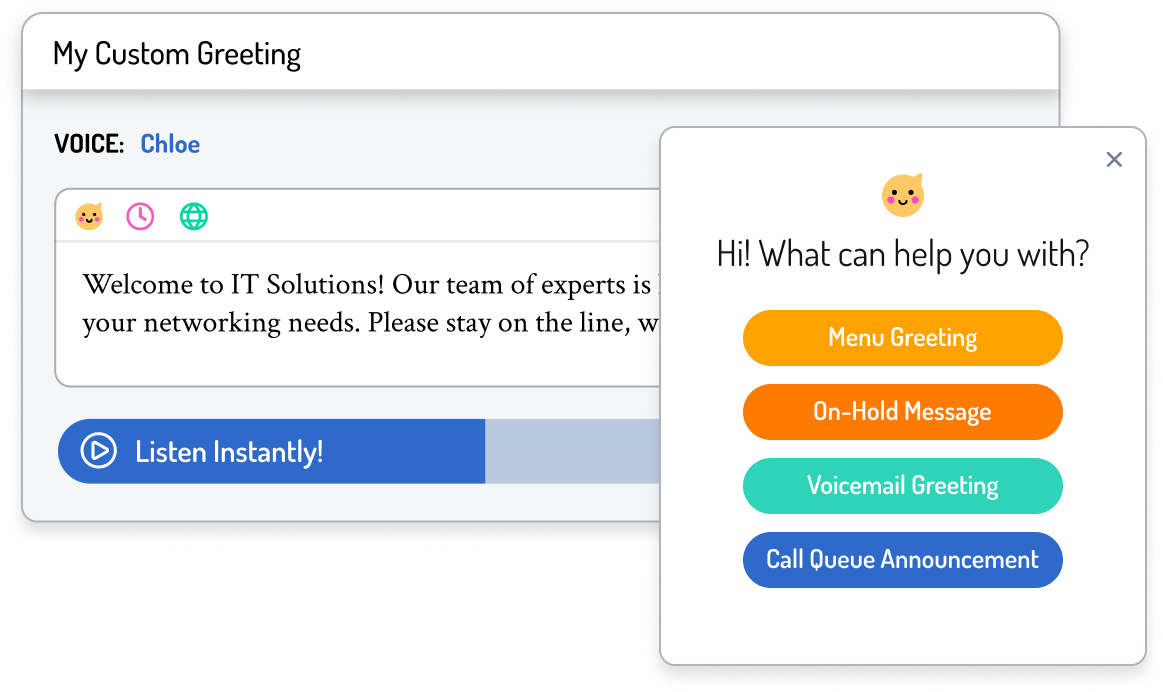
Need help structuring your call flow? As a leading provider of text-to-speech for IVR menus, Phonzai offers AI-powered writing assistance and translation to help you design clear main menus and submenus.

See examples
Image
Image

Select your voice

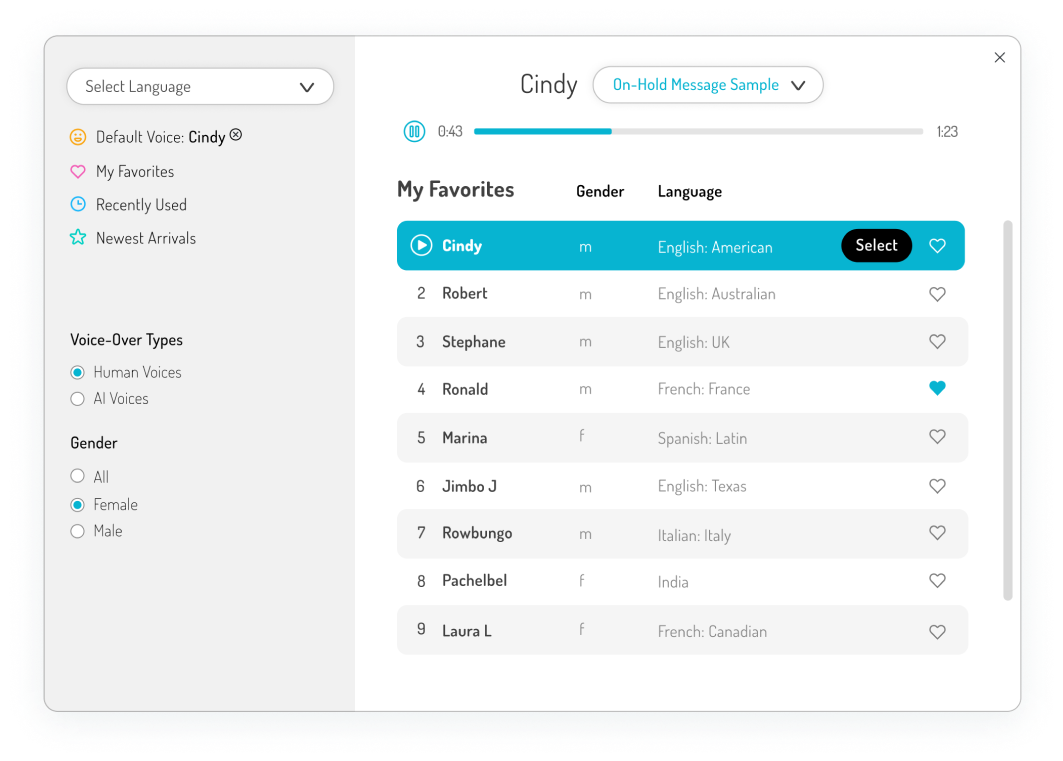
Access professional sounding text-to-speech voices in 40+ languages for your IVR menus.

Find a voice that remains clear and consistent across main menus, department routing, and submenus.

Listen now!

Need on-hold music?

Access our premium on-hold music library as an optional add-on to Phonzai plans.

Complement your IVR menu greetings with background music for a complete, turnkey phone system solution.


Image

Team up!

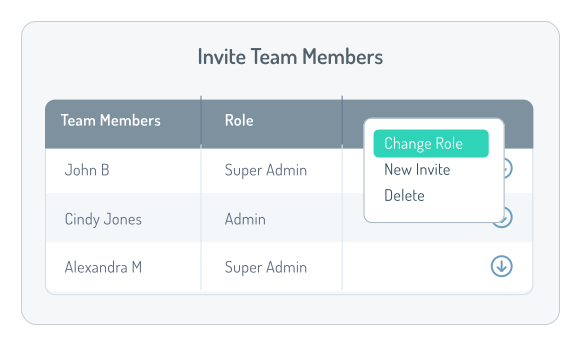
Our IVR menu text-to-speech platform helps teams manage complex call flows. Invite your team to help manage projects, assign roles, and deploy IVR updates across departments or locations.

Text-to-Speech IVR Menu Examples

Bilingual Daytime Greeting - Medical

Thank you for calling Riverside Health Associates, where your health and comfort come first.
If this is a medical emergency, please hang up and dial 911.
If you know your party’s extension, you may enter it at any time.
Para Español, marque 1.
To schedule a visit, press 2.
For prescription refill requests, press 3.
To speak with our nursing staff, press 4.
For our dial-by-name directory, press 5.
Or please stay on the line to reach the front desk.

Play Example
Stop Example
Afterhours Greeting - Banking

You’ve reached WestBridge Community Bank, and our offices are currently closed.
Our regular business hours are 8:00 AM to 5:00 PM, Monday through Friday.
Please note that self-service banking options remain available at www.westlakebank.com.
For account balances or recent activity, press 1.
To report a lost or stolen card, press 2.
To leave a message for our loan services team, press 3.
For our general voicemail mailbox, press 0.

Play Example
Stop Example
Department Submenu - Insurance

Please listen carefully, as our menu options have recently changed.
To submit a new claim, press 1.
For updates on an existing claim, press 2.
To request copies of claim documentation, press 3.
To speak with a claims advisor, press 0.
To return to the previous menu, press pound.

Play Example
Stop Example
Tech Support Department Greeting

You’ve reached BluePeak Solutions technical support.
For installation or setup assistance, press 1.
To check the status of an existing support request, press 2.
If you’re calling about a new technical issue, press 3.
For all other inquiries, press 0 or please remain on the line.

Play Example
Stop Example
Upcoming Holiday Closure

Thank you for calling Crestview Construction Group.
Please note that we will be closing early on December 24th at 1:00 PM in observance of the holiday, and will reopen on January 2nd.
If you know your party’s extension, you may enter it at any time.
For Alex Morgan, Project Manager, press 1.
For Natalie Brooks, Billing and Accounts Coordinator, press 2.
For all other calls, please remain on the line.

Play Example
Stop Example
Holiday Closure - Medical

Thank you for calling Summit Family Health. Our office is closed in observance of the holiday.
Please note that lab results and prescription refill requests can be accessed anytime through our patient portal at SummitFamilyHealth.com.
To leave a message for Dr. Lopez’s care team, press 1.
For billing or insurance questions, press 2.

Play Example
Stop Example

Try Phonzai
for Free!

Create IVR menus and more with text-to-speech voices designed for phone systems and contact centers. Built-in AI writing assistance helps you draft clear, professional scripts quickly, with the option to add on-hold music when needed. Produce fully formatted, phone-ready audio and roll out updates in minutes.

Pricing

Personalize your on-hold messages with professional voice-overs or choose the convenience of AI voices with Phonzai for instant results. Both subscription plans offer unlimited access to our entire music library and an intuitive on-hold message creator, so you can easily make updates in minutes.

Billed Monthly
Billed Yearly
One-Time Purchase
Starts at
From
$150/message
Purchase on-hold messages when needed. Pay once, no contract obligation. see more
  • No contract, 1 time payment
  • Select from over 150 Voices
  • 100 words to start
  • 1 Music Track
  • Delivered in 3-4 business days
Subscription
Starts at
From
$55/mo $660 Billed Yearly
Get unlimited updates, unlimited access to our music library, and voice over recordings credits. see more
  • Starts at 600 voice recording credits
  • Unlimited music access
  • Drag & drop message creator
  • 12 month contract
Save up to 33% with annual billing
Monthly
Yearly
Save up to 40%


Includes
  •  
  •  
Add-Ons
  •  
  •  


Includes
  •  
  •  
Add-Ons
  •  
  •  


Includes
  •  
  •  
Add-Ons
  •  
  •  
 
Try Free
Explore Phonzai & see how easy it is to create custom phone system messages.
Enterprise
xFor high-volume needs(100+ phone lines)
Talk With Us!
  •  
  •  
  •  
  •  
  •  
  •  
  •  
  •  
Compare all features and plans
Features Comparison

faq phonzai

Flecha

What is Phonzai?

Phonzai is an AI-powered messaging solution from Snap Recordings that lets you create professional-sounding phone greetings, on-hold messages, announcements, and voice prompts instantly.

Features Included:

  • Advanced Text-to-Speech Voices: Choose from a variety of premium voices that sound natural and engaging.
  • Unlimited Music: Find the perfect background music to set the tone for your message.
  • AI Writing Assistant: Stuck for words? Phonzai's AI assistant can help you craft clear and concise phone messages.
  • Instant Translations: Reach a wider audience by translating your messages into multiple languages.

Phonzai is a perfect solution for businesses that need a quick and cost-effective way to create high-quality phone messages.

Click here to learn more.

Flecha

Is Phonzai right for you?

Phonzai is ideal for businesses that want to:
  • Create professional messages anytime - quickly & easily
  • Leverage AI for cost-effective & efficient message creation.
  • Create two or more on-hold messages per year
  • Get help with writing and translation or need messages in many languages
  • Effectively handle unplanned changes such as weather emergencies or high call volumes.
  • Frequently promote new offerings, update policies, and make seasonal announcements.
If any of these needs sound familiar, Phonzai can be a powerful tool to simplify your phone messaging needs.
Flecha

How Does Phonzai Pricing Work?

Phonzai's pricing is designed to scale with your business needs. We base the cost on the number of users in your phone system or the number of agents with phone lines in your contact center. This approach ensures you have the appropriate licensing for your potential caller reach.

What does this mean for you?

Simply tell us the number of users or agents in your phone system or contact center when you set up your subscription
Flecha

What is a “user” or “agent” and how do I know how many I have?

When you have a contact center (call center) or phone system subscription with a service provider, you are paying per seat, which is referred to as a user or agent seat:

Agent Seat: The number of seats that enable agents to accept and/or make calls within a contact center (call center).
User Seat: The number of seats that allow users to make and receive calls through a cloud-based phone system.
Telephone Line: If you have an on-premise phone system, count the total number of telephone lines across all locations.

Not sure which applies to you?

No worries! If you're unsure whether you have users or agents in your current phone system setup, simply contact your provider or system administrator for clarification.
Flecha

What Usage rights are covered in my plan?

Your Phonzai subscription covers:

Usage Rights: Your subscription grants you exclusive rights to use the messages you create within the phone system or contact center associated with your subscription.

Text-To-Speech: Any message generated using text to speech that does not contain music, can be used indefinitely in your system.

Music: Your Music License is valid as long as your subscription is active.

*For further information, consult our terms of service.
Flecha

What are the payment options for my subscription?

Annual Payment: Pay for the entire year upfront and enjoy uninterrupted access for 12 months.

Monthly Payment: Pay on a month-to-month basis, but please note that this is still an annual contract. This means you commit to a 12-month subscription, with the convenience of spreading the payments over 12 months.
Flecha

Can I add credits to my Phonzai subscription?

If you need more Word Credits, you can purchase more as a one time plan or subscription. If you need additional Ai Credits you will need to upgrade to the next subscription tier, please contact support for assistance.
Flecha

What happens if I cancel my subscription?

If you decide to cancel your Phonzai subscription, here’s what you need to know:

Account Access: Your account will remain accessible until the end of your current plan term. Once your plan ends you will no longer be able to create Phonzai messages. You will have 30 days from the end of your term to download your message files.

Message License: Messages without music can be used in your system indefinitely.

Music License: Your music license is valid as long as your subscription is active. If you cancel your subscription, you must remove all messages containing music from your phone system and delete any saved copies of these messages by the end of your subscription term.
Flecha

Can I create other messages, like Greetings & Prompts with Phonzai?

Yes! Phonzai places no restrictions on the types of phone messages you can create.

faq realvoice

Flecha

How does On-Hold Message pricing Work?

One-time Purchase: starts at $150 per message.
Subscription: starts at $55/month, with 500 word credits included.

*Pricing varies based on whether you have a Phone System or Contact center and the size of your phone system (Agent Seat, User Seat, or Telephone line count)

Flecha

What is a “user” or “agent” and how do I know how many I have?

When you have a contact center (call center) or phone system subscription with a service provider, you are paying per seat, which is referred to as a user or agent seat:

Agent Seat: The number of seats that enable agents to accept and/or make calls within a contact center (call center).
User Seat: The number of seats that allow users to make and receive calls through a cloud-based phone system.
Telephone Line: If you have an on-premise phone system, count the total number of telephone lines across all locations.

If you don’t know how many seats you are paying for with your service provider, contact your administrator.
Flecha

Why is pricing based on the number of users or agents I have?

We ask for the amount of users in your phone system to calculate your potential reach in order to provide the necessary license coverage for music usage.
Flecha

Am I a good fit for an On-Hold Subscription?

An On-Hold subscription is ideal for customers who:

• Maintain more than one On-Hold message in their phone system
• Prefer to update announcements more than once a year
• Want to market to their callers while they await assistance
• Aim to engage callers during wait times with timely and relevant information
• Seek an easy, cost-effective solution for creating & updating on-hold messages, anytime

If any of these points resonate with you, then our On-Hold subscription is tailored to meet your needs perfectly!
Flecha

What is the timeframe to receive my recordings?

Standard Delivery: within 3-4 business days.
Rush Delivery: within 1-2 business days. The cost is an additional $80 for the first 100 words, and $40 for every 100 words thereafter.
Flecha

Can I listen to my message before I pay?

While personalized previews aren't available, you can be confident that your selected voice talent will bring your script to life with the same tone and pace demonstrated in their sample.

We encourage you to choose a voice talent whose sample closely matches your desired style.
Flecha

Can I make a change after I submit my order?

If you need to modify your order after submitting your script, please reach out to our Customer Support. Provide your Order ID along with details of the changes you'd like to make. Please be aware that there may be a fee for adjustments made to the script after purchase.
Flecha

What happens if I cancel my On-Hold Subscription before the 12 Month Contract Period is over?

If you decide to cancel your Real Voice On-Hold subscription, here’s what you need to know:

Plan Renewal: If you cancel before your 12-month contract ends, your plan won't automatically renew. However, you'll still be responsible for any remaining payments.

Account Access: You can use Word Credits and Mixer app until the end of your current billing cycle. After that, you won't be able access Mixer Projects, and files containing music will be deleted. Voice-only recordings ordered with Word Credits will still be available.

Message Licensing: Messages without music can be used indefinitely.

Music Licensing: Music can only be used while your subscription is active. If you cancel, you'll need to remove messages with music from your phone system and delete any saved copies.
Flecha

Can I order Greetings or Voicemails too?

Yes. Please visit our Pricing Page to see pricing for Greetings & Prompts.

Text-to-Speech IVR Menus:
What Works

A well-designed IVR menu helps callers reach the right destination quickly and confidently. Effective text-to-speech IVR menus are structured, predictable, and built around clear call flow and understanding your caller's needs.

Here’s what consistently works best for text-to-speech IVR menus across many different industries:

Play Pause

State the Company or Department

Let callers know who the've reached immediately before presenting IVR menu options.

Play Pause

Keep the Main Menu Short

Limit top-level IVR menus to six options or fewer to reduce caller friction.

Play Pause

Use Submenus for Detail

Move secondary options into submenus to keep the main menu easy to follow.

Play Pause

Consider the Order of Extensions

List the options most callers choose first to speed up routing, and move informational requests to pre-recorded extensions to reduce hold times.

Play Pause

Separate Open & After-Hours Menus

Use different IVR menus based on business hours, or season to avoid confusion or frustration.

Play Pause

Place Required Notices First

Compliance, or emergency notices should always appear before listing menu options.

Play Pause

Include Navigation Prompts

Give callers the option to hear options again or return to the previous menu.

Play Pause

Keep Menus Updated

Showcase your professionalism and responsiveness by refreshing IVR menus when departments, hours, or services change.

Get Started

What are you waiting for?

Get started with the best text-to-speech voices
for professional IVR menus today