
















Voice prompts

Custom voice prompts for your business.

Guide your callers with a clear, consistent voice through every interaction.

100,000+companies worldwide trust Snap Recordings

  • NYU Langone Health
  • United Airlines
  • TD Bank
  • RE/MAX
  • UCLA
  • Expedia
  • Blue Cross Blue Shield
  • Pepsi
  • DoorDash
  • AT&T
  • Audi
  • Marriott
  • Costco Wholesale
  • Disney
  • Salesforce

Your voice, your choice

Whether you prefer the human touch of our professional voice-over artists or the convenience of lifelike AI voices, we offer the highest quality voice solutions for your phone system and contact center.

RealVoice

Professional voice-overs

Choose from over 150 of the industry’s best voice-over artists to record studio-quality voice prompts for your business. Available in English, Spanish, French. Other languages upon request.

  • Industry leading voice-talent
  • 3–4 business days turnaround
  • Studio recordings
  • 100% human engineered
Learn more

AI voices

Phonzai lets you generate greetings, prompts and on-hold messages in seconds with ultra-realistic AI voices. Choose from 70+ languages, delivering unmatched flexibility and speed.

  • Natural AI sounding voices
  • Instant results
  • Unlimited music
  • AI writing & translation
Learn more

How it works

What you get

  • Voice-overs

    Choose between professional voice-over artists or instant AI voices to customize your voice prompts.

    Listen to our voices!
  • 24/7 online ordering

    Order professional voice recordings anytime, or generate voice prompts instantly using AI voices on our user-friendly platform.

  • AI writing tools

    Next-generation expert AI writing assistance and accurate message translations to create voice prompts in any language.

  • Fast turnaround

    Create voice prompts instantly using AI voices, or receive real voice recordings within 3–4 business days (1–2 day rush delivery available).

Listen to examples

RealVoice

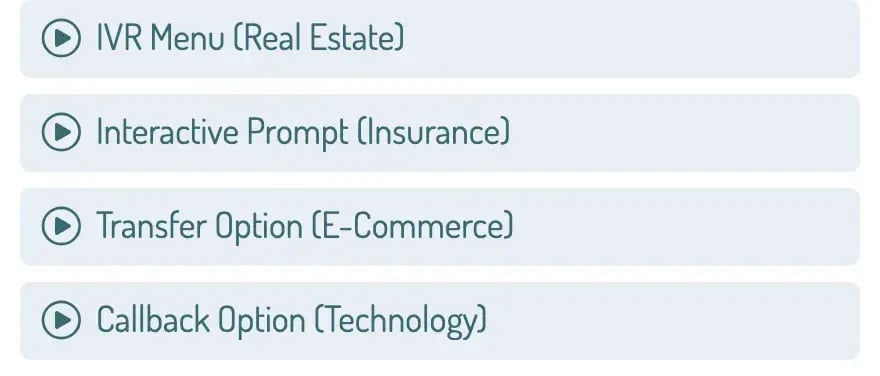
Sample prompts by voice-over artists: an IVR menu, an interactive prompt, a transfer option and a callback option

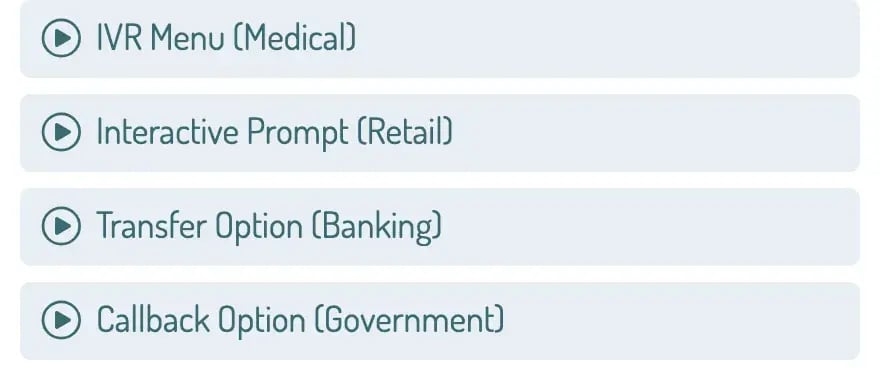
Sample prompts in AI voices: an IVR menu, an interactive prompt, a transfer option and a callback option

Pricing

Save up to 33% with annual billing.

Lite

Perfect for entrepreneurs & small businesses

$20/month

$240 paid annually

Buy now

Lite plan includes

  • 15K AI voice credits Use AI voice credits to generate text-to-speech audio. Each credit equals one letter, number, or symbol.
  • 1 user seat Lite includes 1 user seat. To add more users, upgrade to a larger plan.
  • 5 projects Organize the creation and management of messages into project folders.
  • AI voices in 70+ languages See the list of supported languages.
  • AI writing assistance Snappy, your AI writing assistant, drafts and refines professional phone scripts instantly.

Available add-ons

  • On-hold messaging + music Create and manage on-hold messages. Access unlimited music to use in any message, and use our powerful on-hold message mixing app.

Pro

Ideal for growing businesses

$60/month

$720 paid annually

Buy now

All Lite plan features, plus

  • 50K AI voice credits Use AI voice credits to generate text-to-speech audio. Each credit equals one letter, number, or symbol.
  • 1–3 user seats Pro includes 1 user seat. You can add up to 2 additional seats.
  • 100 projects Organize the creation and management of messages into project folders.
  • AI translations Convert scripts into multiple languages with AI-powered translation.
  • Bulk message creation Preview, change voice or music, approve, and download multiple messages with one click.

Available add-ons

  • On-hold messaging + music Create and manage on-hold messages. Access unlimited music to use in any message, and use our powerful on-hold message mixing app.

Pro+

For larger organizations & multi-location businesses

$120/month

$1,440 paid annually

Buy now

All Pro plan features, plus

  • 150K AI voice credits Use AI voice credits to generate text-to-speech audio. Each credit equals one letter, number, or symbol.
  • 1–5 user seats Pro+ includes 1 user seat. You can add up to 4 additional seats.
  • 500 projects Organize the creation and management of messages into project folders.
  • Project import/export Quickly create and edit your phone message projects using spreadsheets.

Available add-ons

  • On-hold messaging + music Create and manage on-hold messages. Access unlimited music to use in any message, and use our powerful on-hold message mixing app.

Try free

Explore Phonzai & see how easy it is to create custom phone system messages.

Get started

Enterprise

For high-volume needs (100+ phone lines)

Talk with us!
  • 1M+ AI voice credits Use AI voice credits to generate text-to-speech audio. Each credit equals one letter, number, or symbol.
  • Unlimited projects Organize the creation and management of messages into project folders.
  • 5+ seats Enterprise includes 5 user seats. You can add unlimited additional seats.
  • Private projects Choose who can see and edit Phonzai projects.
  • Account manager Connect with an expert for personalized help with setup, best practices, and troubleshooting.
  • Onboarding & training Book an exclusive one-on-one training session to help your team get started.
  • Offline invoicing & POs Use purchase orders and receive itemized invoices instead of credit card billing.
  • Migration support Our team helps you transition by converting existing phone system audio into organized Phonzai projects.
Compare all features and plans
FeaturesLiteProPro+Enterprise
AI voice & script tools
AI voice credits (characters) Use AI voice credits to generate text-to-speech audio. Each credit equals one letter, number, or symbol.15K50K150K1 million+
Smart Read technology Our technology improves the natural pacing and timing of the voice messages you create.
Unlimited retakes Make unlimited changes to voice, script, or music before final approval without using credits.
Support for 70+ languages Click here to see a list of supported languages.
AI writing assistant Snappy, your AI writing assistant, drafts and refines professional phone scripts instantly.
AI translations Convert scripts into multiple languages with AI-powered translation.–
On-hold messaging + music (add-on)
Unlimited music Unlimited access to our premium music library featuring thousands of licensed music tracks.
Phone system licensing coverage Music licensing for this add-on is based on the number of lines in your phone system. Choose a plan that supports your system.Up to 10 phone linesUp to 50 phone linesUp to 500 phone lines500+ phone lines
Contact center license coverage Music licensing for this add-on is based on the number of agent seats in your contact center. Choose a plan that supports your system.–Up to 25 agentsUp to 100 agents100+ agents
Unlimited updates Create and update unlimited on-hold messages.
Mixer tool Use our drag-and-drop On-Hold message editor to create and update on-hold messages with ease.
Voice recorder Create personalized messages with your own voice using our built-in voice recorder.
Custom music upload Provide your own licensed background music to use in your phone messages.–––
Audio management
Projects Organize the creation and management of messages into project folders.5 projects100 projects500 projectsUnlimited
Searchable audio library Every message you create with Phonzai is securely stored in an easy-to-use library. Search files, organize messages into folders, mark favorites, view scripts, and more.
Playlists & favorites Organize your messages into custom folders and mark favorite voices, messages, and music for quick access.
Unlimited downloads Download messages without restriction.
File uploads Upload voice recordings from your computer to the audio library–
Optimized file formats Download Phonzai messages in the following formats, optimized for your phone system:

WAV (44.1kHz 16-bit)
AIFF (44.1kHz 16-bit)
WAV µlaw (8kHz 8-bit)
WAV PCM (8kHz 16-bit)
MP3 (320kbps)
MP3 (128kbps)
VOX
WAV ADPCM (8kHz 8-bit)
Project management & collaboration
Seats Invite and Assign paid seats to team members to collaborate on Phonzai messages in your account1 seat1–3 seats1–5 seats5+ seats
Team members Invite team members to your account with view‑only access - ideal for getting message approvals.UnlimitedUnlimitedUnlimitedUnlimited
Roles & permissions Set role-based access controls to manage permissions for team members. Learn more––
Private projects Choose who can see and edit Phonzai Projects–––
Project import/export Quickly create and edit your phone message projects using spreadsheets––
Bulk message creation Preview, change voice or music, approve, and download multiple messages with one click.–
Integrations & API
RingCentral, Zoom, Webex, Five9 and more  See a full list of supported integrations
API access & support Get access to our API for integrating Phonzai voices with your existing tools and workflows–––
Support & service
Live chat, email and call support Live support is available Monday through Friday from 6:00 AM - 5:00 PM PST.
Dedicated success manager Connect with an expert for personalized help with setup, best practices, and troubleshooting.–––
Private onboarding Book an exclusive one-on-one training session to help your team get started.–––
POs & invoicing Use purchase orders and receive itemized invoices instead of credit card billing.–––
SLA guarantees Guaranteed service uptime, response times, and support commitments tailored to enterprise customers.–––
Messaging migration We'll migrate your existing phone system messages into your Phonzai workspace.–––

The A to Z of voice prompts

From the moment your system answers a call, the voice that guides them sets the tone for the entire interaction. This glossary provides an overview of the various types of voice prompts we can create to enhance your caller experience.

  • Welcome prompts

    Greet callers and provide initial instructions or company branding.

  • Sub-menu prompts

    Provide additional options within a specific area of the main menu.

  • Confirmation prompts

    Ask callers to verify the accuracy of the information they have entered.

  • Informational prompts

    Provide essential information directly to callers, such as business hours, location details, and general announcements.

  • Queue prompts

    Communicate to callers that they are on hold and provide queue status.

  • Interrupt prompts

    Enable callers to interact with or bypass ongoing messages.

  • Menu prompts

    Offer a list of navigational options to direct callers through the IVR system.

  • Information request prompts

    Request specific information from callers, such as account numbers or payment details.

  • Error prompts

    Notify callers when an error has occurred and instruct them on how to proceed.

  • Transfer prompts

    Inform callers that they are being transferred to another line or an agent.

  • Exit prompts

    Close the interaction by thanking the callers and providing any final necessary information.

  • Wait time prompts

    Inform callers about the expected duration of their wait.

FAQ

What’s the difference between RealVoice & Phonzai?

RealVoice plans come with word credits to order recordings from over 150 industry-leading real human voice over talents. You can then use these recordings to create and update existing on hold messages using the mixer app.

Phonzai is an AI solution that uses advanced text-to-speech voices and writing assistance, allowing you to generate announcements in minutes. Write, Preview, and save messages instantly.

How much do professional voice prompts cost?

RealVoice:

  • One-time purchases start at $80 per 100 words.
  • Word Credit plans: start at $1,080 for 1,500 words — the more you purchase, the more you save.

Word credits can be used across one or multiple projects and updates throughout the year, providing flexibility and savings without having to budget for additional purchases.

Phonzai AI voice prompts: start at $20/month billed annually or $30/month-to-month, with unlimited revisions and instant generation included in your plan.

Visit our pricing page for additional pricing information.

How do I create voice prompts in bulk for my phone system, if I need to make a lot of messages?

Phonzai offers a cost-effective AI solution that allows you to generate messages instantly. Plans come with a generous allocation of credits, designed to meet the needs of businesses of all sizes. Pro and Pro+ plans offer powerful bulk creation tools — use batch editing to generate dozens of prompts at once, or import scripts via project sheets to manage large volumes efficiently.

For RealVoice recordings with professional voice talent, Word Credit plans provide volume savings across multiple projects throughout the year.

Both plans can use spreadsheets to import projects, creating many phone messages quickly.

What languages are available for phone system voice prompts?

RealVoice offers English, Spanish & French Voice over talents.

For companies that require phone messages recorded in other languages, we offer international voices and production services through our partner network. To learn more Contact Sales.

Phonzai offers voices in the following languages.

Don’t see a language you need? Contact Support for assistance.

What file formats do you offer?

We support most audio file formats used in phone systems and contact centers, including:

  • AIFF (44.1kHz 16-bit)
  • MP3 (128kbps)
  • MP3 (320kbps)
  • VOX
  • WAV (11kHz 16-bit)
  • WAV (44.1kHz 16-bit)
  • WAV CCITT µlaw (8kHz 8-bit)
  • WAV PCM (8kHz 16-bit)

If you’re unsure about the best format for your phone system, please contact your provider or system administrator for support.

When will I receive my completed project?

RealVoice:

  • Standard Delivery is within 3–4 business days.
  • Rush Delivery is within 1–2 business days. The cost is an additional $80 for the first 100 words, and $40 for every 100 words thereafter.

Phonzai subscribers can create and download messages instantly, no wait time once greetings are approved.

What is an auto attendant on a phone system?

An auto attendant is the automated voice menu that greets callers and routes them to the right department or person — ‘Press 1 for Sales, Press 2 for Support.’ It’s the first thing callers hear, so it needs to sound professional and be easy to navigate.

Snap Recordings offers both AI-generated and professionally recorded auto attendant prompts that you can update anytime as your business changes.

What is interactive voice response (IVR)?

Interactive Voice Response (IVR) is the technology behind your phone system’s automated menus. It plays pre-recorded voice prompts and routes callers based on their keypad input or voice commands. A well-designed IVR reduces wait times, improves caller satisfaction, and ensures people reach the right team quickly.

Snap Recordings creates the voice prompts that power your IVR — whether you prefer AI text-to-speech for instant updates or professional human voice talent for a premium sound.

What is a multi-level auto attendant?

A multi-level auto attendant is a phone menu system with sub-menus — for example, ‘Press 1 for Sales’ leads to another menu: ‘Press 1 for New Customers, Press 2 for Existing Accounts.’ This lets businesses with multiple departments or services route callers precisely without a receptionist.

Phonzai makes it easy to create all the prompts for a multi-level system at once using batch editing and spreadsheet import.

How many menu options should an IVR have?

Best practice is no more than 5 options per menu level. Research shows callers struggle to remember more than 5 choices, leading to frustration and hang-ups. Keep your most common requests as the first options, include a ‘speak to a representative’ option, and use a multi-level structure if you need more routing. Phonzai’s AI writing assistant can help you organize your IVR script for the best caller experience.

What’s the best voice for IVR — AI or human?

Both have strengths. AI text-to-speech (like Phonzai) is ideal when you need instant updates, frequent changes, or messages in multiple languages — you can generate and revise prompts in minutes. Professional human voice talent (RealVoice) delivers a warm, natural tone that many businesses prefer for their primary greeting.

Want to learn more? See our Buyer’s Guide for choosing between professional voices or AI for your phone system.

Deliver a professional caller experience

From menu greetings to IVR prompts and call queue messages — we provide the industry’s best voices and AI writing tools to ensure every caller interaction sounds natural and seamless.

New Account

Please provide the following details.

×
Save up to 33% with annual billing
Monthly
Yearly
Save up to 40%


Includes
  •  
  •  
Add-Ons
  •  
  •  


Includes
  •  
  •  
Add-Ons
  •  
  •  


Includes
  •  
  •  
Add-Ons
  •  
  •  
 
Try Free
Explore Phonzai & see how easy it is to create custom phone system messages.
Enterprise
xFor high-volume needs(100+ phone lines)
Talk With Us!
  •  
  •  
  •  
  •  
  •  
  •  
  •  
  •  
Compare all features and plans
Features Comparison